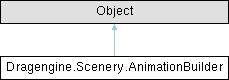
Public Member Functions | |
Constructors | |
| AnimationBuilder | new () |
| Create animation builder. | |
Management | |
| Animation | build (String filename) |
| Build animation using filename. | |
| void | buildAnimation () |
| Build animation. | |
| void | addVertexPositionSet (String name) |
| Add vertex position set. | |
| void | addMove (String name, float playTime) |
| Add move. | |
| void | addMove (String name, float playTime, float fps) |
| Add move. | |
| void | setKeyframeListCount (int move, int count) |
| Set move keyframe list count. | |
| void | addKeyframe (int move, int keyFrameList, float time, Vector position, Vector rotation, Vector scale) |
| Add move keyframe list keyframe. | |
| void | setVertexPositionSetKeyframeListCount (int move, int count) |
| Set move keyframe list count. | |
| void | addVertexPositionSetKeyframe (int move, int keyFrameList, float time, float weight) |
| Add move keyframe list keyframe. | |
Detailed Description
Animation builder.
Builds animation resource without requiring a animation resource file. The created animation can either be unnamed (if filename is empty string) or named (if filename is not empty string). Named animations can not clash with filenames present in the virtual file system. For this reason use unnamed animations if possible. Using named animations though can be useful if you want to provide animation resources to scripts not needing to know if the path they try to load is a build animation instead of a resource one.
To use the animation builder create a subclass and implement AnimationBuilder.buildAnimation() . You are only allowed to call methods from AnimationBuilder from inside this function call. To create the animation call AnimationBuilder.build() . This will call AnimationBuilder.buildAnimation() to fill a new animation resource with content. Once finished the build method returns the ready to use animation resource. Otherwise an exception is thrown.
This is a native class.
Member Function Documentation
◆ addKeyframe()
|
protected |
Add move keyframe list keyframe.
References addMove().
Referenced by addVertexPositionSetKeyframe().
◆ addMove() [1/2]
|
protected |
Add move.
References addVertexPositionSet().
Referenced by addKeyframe(), and setKeyframeListCount().
◆ addMove() [2/2]
|
protected |
Add move.
◆ addVertexPositionSet()
|
protected |
◆ addVertexPositionSetKeyframe()
|
protected |
Add move keyframe list keyframe.
- Version
- 1.17
References addKeyframe(), addVertexPositionSetKeyframe(), and setVertexPositionSetKeyframeListCount().
Referenced by addVertexPositionSetKeyframe().
◆ build()
| Animation Dragengine.Scenery.AnimationBuilder.build | ( | String | filename | ) |
Build animation using filename.
The created animation can either be unnamed (if filename is empty string) or named (if filename is not empty string). Named animations can not clash with filenames present in the virtual file system. For this reason use unnamed animations if possible. Using named animations though can be useful if you want to provide animation resources to scripts not needing to know if the path they try to load is a build animation instead of a resource one.
To create the animation call build() . This will call buildAnimation() to fill a new animation resource with content. Once finished the build method returns the ready to use animation resource. Otherwise an exception is thrown.
References build().
Referenced by build().
◆ buildAnimation()
|
protected |
Build animation.
Called by build(String) to fill a new animation resource with content. You are only allowed to call methods from AnimationBuilder from inside this function call.
References buildAnimation().
Referenced by buildAnimation().
◆ new()
| AnimationBuilder Dragengine.Scenery.AnimationBuilder.new | ( | ) |
◆ setKeyframeListCount()
|
protected |
Set move keyframe list count.
References addMove().
Referenced by setVertexPositionSetKeyframeListCount().
◆ setVertexPositionSetKeyframeListCount()
|
protected |
Set move keyframe list count.
- Version
- 1.17
References setKeyframeListCount().
Referenced by addVertexPositionSetKeyframe().
The documentation for this class was generated from the following file: