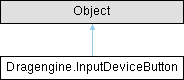
Input device button. More...
Public Member Functions | |
Management | |
| InputDevice | getInputDevice () |
| Owner input device. | |
| int | getButtonIndex () |
| Button index. | |
Buttons | |
| String | getID () |
| Button identifier. | |
| String | getName () |
| Display name. | |
| InputDeviceButtonType | getType () |
| Button type. | |
| String | getComponent () |
| Identifier of component or empty string if standalone. | |
| Image | getDisplayImage () |
| Image to represent the button in 2D user interfaces or NULL if not set. | |
| int | getDisplayIconCount () |
| Count of icons representing the button in bindings. | |
| Image | getDisplayIconAt (int index) |
| Icon at index representing the button in bindings. | |
| Image | getLargestDisplayIconX (int maxWidth) |
| Largest icon not exceeding width representing the device in bindings. | |
| Image | getLargestDisplayIconY (int maxHeight) |
| Largest icon not exceeding height representing the device in bindings. | |
| String | getDisplayText () |
| Text to display centered across display image or icon. | |
| bool | getTouchable () |
| Button can send touch/untouch events. | |
| bool | getApproachable () |
| Button can send approach/withdraw events. | |
| bool | isPressed () |
| Get pressed state. | |
| bool | isTouched () |
| Get touched state. | |
| bool | isNear () |
| Get near state. | |
Detailed Description
Input device button.
Wraps a input device button by button index.
Buttons can be anything a user can press. This can be a mouse button, buttons on keypads, keys on keyboards or touch fields on screens. Buttons have a pressed or not pressed state. Pressure sensitive input elements are handled as axes not buttons.
This is a native class.
Member Function Documentation
◆ getApproachable()
| bool Dragengine.InputDeviceButton.getApproachable | ( | ) |
Button can send approach/withdraw events.
- Version
- 1.28
References getDisplayText(), and getLargestDisplayIconY().
Referenced by isTouched().
◆ getButtonIndex()
| int Dragengine.InputDeviceButton.getButtonIndex | ( | ) |
◆ getComponent()
| String Dragengine.InputDeviceButton.getComponent | ( | ) |
Identifier of component or empty string if standalone.
- Version
- 1.6
References getType().
Referenced by getDisplayIconCount().
◆ getDisplayIconAt()
| Image Dragengine.InputDeviceButton.getDisplayIconAt | ( | int | index | ) |
Icon at index representing the button in bindings.
Icon is of square size and typically has a size of 16, 24, 32 or 64.
References getDisplayImage().
Referenced by getDisplayText().
◆ getDisplayIconCount()
| int Dragengine.InputDeviceButton.getDisplayIconCount | ( | ) |
Count of icons representing the button in bindings.
References getComponent().
Referenced by getLargestDisplayIconX().
◆ getDisplayImage()
| Image Dragengine.InputDeviceButton.getDisplayImage | ( | ) |
Image to represent the button in 2D user interfaces or NULL if not set.
Large image of 128 pixels squared or larger.
Referenced by getDisplayIconAt().
◆ getDisplayText()
| String Dragengine.InputDeviceButton.getDisplayText | ( | ) |
Text to display centered across display image or icon.
References getDisplayIconAt().
Referenced by getApproachable().
◆ getID()
| String Dragengine.InputDeviceButton.getID | ( | ) |
Button identifier.
Unique identifier for the button identifying it inside the parent device. The prefix is a normalized string that contains only letters, numbers and underscores. It is suitable to be combined with the device identifier to store them in config files as key bindings.
References getID().
Referenced by getID().
◆ getInputDevice()
| InputDevice Dragengine.InputDeviceButton.getInputDevice | ( | ) |
◆ getLargestDisplayIconX()
| Image Dragengine.InputDeviceButton.getLargestDisplayIconX | ( | int | maxWidth | ) |
Largest icon not exceeding width representing the device in bindings.
Icon typically has a size of 16, 24, 32 or 64.
References getDisplayIconCount().
Referenced by getTouchable().
◆ getLargestDisplayIconY()
| Image Dragengine.InputDeviceButton.getLargestDisplayIconY | ( | int | maxHeight | ) |
Largest icon not exceeding height representing the device in bindings.
Icon typically has a size of 16, 24, 32 or 64.
Referenced by getApproachable().
◆ getName()
| String Dragengine.InputDeviceButton.getName | ( | ) |
◆ getTouchable()
| bool Dragengine.InputDeviceButton.getTouchable | ( | ) |
Button can send touch/untouch events.
- Version
- 1.11.1
References getLargestDisplayIconX().
Referenced by isPressed().
◆ getType()
| InputDeviceButtonType Dragengine.InputDeviceButton.getType | ( | ) |
◆ isNear()
| bool Dragengine.InputDeviceButton.isNear | ( | ) |
Get near state.
- Version
- 1.28
This obtains the current near state from the input module. If the device has been detached from the host platform in the mean time false is returned. In contrary to InputSystem.getButtonNear() no exception is thrown. This allows to keep a reference to this instance without worrying about the device being detached from the system. If reattached the device properly works again.
References isNear(), isPressed(), and isTouched().
Referenced by isNear().
◆ isPressed()
| bool Dragengine.InputDeviceButton.isPressed | ( | ) |
Get pressed state.
This obtains the current pressed state from the input module. If the device has been detached from the host platform in the mean time false is returned. In contrary to InputSystem.getButtonPressed() no exception is thrown. This allows to keep a reference to this instance without worrying about the device being detached from the system. If reattached the device properly works again.
References getTouchable().
Referenced by isNear().
◆ isTouched()
| bool Dragengine.InputDeviceButton.isTouched | ( | ) |
Get touched state.
- Version
- 1.6
This obtains the current touched state from the input module. If the device has been detached from the host platform in the mean time false is returned. In contrary to InputSystem.getButtonTouched() no exception is thrown. This allows to keep a reference to this instance without worrying about the device being detached from the system. If reattached the device properly works again.
References getApproachable().
Referenced by isNear().
The documentation for this class was generated from the following file: