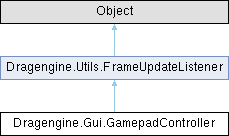
Gamepad controller generating mouse and keyboard input. More...
Classes | |
| class | AxisState |
| Axis state. More... | |
| enum | AxisTarget |
Public Member Functions | |
| void | clear () |
| Clear mouse movement and accumulated states. | |
| Vector2 | combinedMouseMove () |
| All mouse movement combined. | |
| void | dispose () |
| Dispose of gamepad controller. | |
| void | focusDirectional (int direction) |
| Call Widget.focusDirectional() on widget if enabled. | |
| void | frameUpdate (float elapsed) |
| Do frame update. | |
| bool | getAutoAddVirtualKeyboard () |
| Automatically add virtual keyboard on first input if not present. | |
| bool | getEnabled () |
| Sending events is enabled. | |
| float | getMouseMovementAcceleration () |
| Mouse movement acceleration. | |
| float | getMouseSpeed () |
| Mouse speed in pixels per second. | |
| Widget | getWidget () |
| Widget to send event to. | |
| void | invalidateDevices () |
| Invalidate devices. | |
| GamepadController | new (GlobalEvents globalEvents, Widget widget) |
| Create controller sending events to widget. | |
| GamepadController | new (Widget widget) |
| Create controller sending events to widget. | |
| void | processEvent (Event event) |
| Process event. | |
| void | releaseMouseButton () |
| Release mouse button. | |
| void | sendMouseButtonRelease () |
| Send event mouse button release if enabled. | |
| void | sendMouseMoved (Point distance) |
| Send event mouse moved if enabled. | |
| void | setAutoAddVirtualKeyboard (bool autoAdd) |
| Automatically add virtual keyboard on first input if not present. | |
| void | setEnabled (bool enable) |
| Enable sending events. | |
| void | setMouseMovementAcceleration (float acceleration) |
| Mouse movement acceleration. | |
| void | setMouseSpeed (float speed) |
| Set mouse speed in pixels per second. | |
| void | setWidget (Widget widget) |
| Set widget to send event to. | |
| Public Member Functions inherited from Dragengine.Utils.FrameUpdateListener | |
| FrameUpdateManager | getFrameUpdateManager () |
| Frame update manager the listener is registered at. | |
| void | giveUp () |
| Remove listener from manager if registered at one. | |
| FrameUpdateListener | new () |
| Create listener registered at default frame update listener. | |
| FrameUpdateListener | new (FrameUpdateManager manager) |
| Create listener registered at frame update manager. | |
Public Attributes | |
| bool | pAutoAddVirtualKeyboard |
| Array | pAxisStates |
| int | pButtonPressCount |
| bool | pDirtyDevices |
| bool | pEnabled |
| GlobalEvents | pGlobalEvents |
| InvalidateDevices | pInvalidateDevices |
| Vector2 | pMouseMoveAccum |
| float | pMouseMovementAcceleration |
| float | pMouseSpeed |
| Widget | pWidget |
Protected Member Functions | |
| void | autoAddVirtualKeyboard () |
| Automatically add virtual keyboard if preconditions are fulfilled. | |
| WindowVirtualKeyboard | createWindowVirtualKeyboard () |
| Create virtual keyboard window. | |
| int | focusAngleToInputKey (float angle) |
| Input key arrow constant matching direction angle. | |
| float | mapMouseMovement (float factor) |
| Mouse movement mapping. | |
| void | prepareDevices () |
| Prepare devices. | |
| void | processEventAxisMove (GamepadEvent event) |
| Process axis move event. | |
| void | processEventButtonRelease (GamepadEvent event) |
| Process button release event. | |
| void | processFocus (float elapsed) |
| Process focus. | |
| void | processMouseMovement (float elapsed) |
| Generate mouse movement events. | |
| void | trackDeviceAxes (InputEventSource system, int deviceIndex, InputDevice device) |
| Track device axes. | |
| void | updateInputDevices () |
| Update input devices. | |
Detailed Description
Gamepad controller generating mouse and keyboard input.
- Version
- 1.20
For use by Desktop and other top level widgets. Allows the user to control the widget using gamepads. The following input events can be generated.
- InputDeviceAxisType.stick
Generates mouse movement events. All sticks can be used to control the mouse pointer directly.
- InputDeviceAxisType.trigger
Generates mouse button press and release events. All triggers control the left mouse button.
A mouse button press event is send when the trigger value changes from less than 0.5 to larger than 0.5. A mouse button release event is send when the trigger value changes from larger than 0.5 to less than 0.5 .
- InputDeviceAxisType.hat
Sets focus to the closest widget in the pressed direction. Then the trigger value changes from less than 0.5 to larger than 0.5 the closest widget is searched for and the focused shifted.
- Input Capturing
The GamepadController only works if InputSystem.getCaptureInputDevices() is true. If it is false the system mouse position is used which can not be controlled by the gamepad. If this value is false GamepadController behaves as if it is disabled.
- Usage
To use the gamepad controller create an instance and store it in the Widget. Forward all events received in Widget.processEvent() to GamepadController.processEvent() in addition to processing them by the widget. The gamepad controller monitors itself changes in input devices and sends generated events as needed. Sending events can be temporarily disabled. Once the gamepad controller is not required anymore call dispose(). After creating the gamepad controller it is initially enabled.
- Version 1.24
If the monitored widget is a Desktop widget a virtual keyboard is automatically added the first time an input is registered on a gamepad if none is assigned yet. This allows users to use mouse and keyboard or gamepad as they please and a virtual keyboard is automatically present if needed.
Member Function Documentation
◆ autoAddVirtualKeyboard()
|
protected |
Automatically add virtual keyboard if preconditions are fulfilled.
- Version
- 1.24
Virtual keyboard is added if:
- getAutoAddVirtualKeyboard() is true.
- getWidget() is castable to Desktop.
- Desktop.getWindowVirtualKeyboard() is null.
References getAutoAddVirtualKeyboard(), and pAutoAddVirtualKeyboard.
Referenced by createWindowVirtualKeyboard().
◆ clear()
| void Dragengine.Gui.GamepadController.clear | ( | ) |
Clear mouse movement and accumulated states.
Call this after switching input processor away from the widget. This will clear all accumulated mouse movement to stop moving the mouse until the input processing switches back to the widget.
References dispose(), and Dragengine.Utils.FrameUpdateListener.giveUp().
Referenced by createWindowVirtualKeyboard(), and setMouseSpeed().
◆ combinedMouseMove()
| Vector2 Dragengine.Gui.GamepadController.combinedMouseMove | ( | ) |
◆ createWindowVirtualKeyboard()
|
protected |
Create virtual keyboard window.
- Version
- 1.24
Default implementation returns instance of WindowVirtualKeyboard.
References autoAddVirtualKeyboard(), clear(), combinedMouseMove(), focusAngleToInputKey(), focusDirectional(), frameUpdate(), invalidateDevices(), new(), pAutoAddVirtualKeyboard, pAxisStates, pButtonPressCount, pDirtyDevices, pEnabled, pMouseMoveAccum, prepareDevices(), processEvent(), processEventAxisMove(), processEventButtonRelease(), processFocus(), processMouseMovement(), pWidget, releaseMouseButton(), sendMouseButtonRelease(), sendMouseMoved(), and setAutoAddVirtualKeyboard().
◆ dispose()
| void Dragengine.Gui.GamepadController.dispose | ( | ) |
◆ focusAngleToInputKey()
|
protected |
Input key arrow constant matching direction angle.
Referenced by createWindowVirtualKeyboard().
◆ focusDirectional()
| void Dragengine.Gui.GamepadController.focusDirectional | ( | int | direction | ) |
Call Widget.focusDirectional() on widget if enabled.
- Version
- 1.29
- Parameters
-
direction Direction as InputEventKey.arrowLeft, InputEventKey.arrowRight, InputEventKey.arrowUp or InputEventKey.arrowDown.
References getEnabled(), and pEnabled.
Referenced by createWindowVirtualKeyboard().
◆ frameUpdate()
| void Dragengine.Gui.GamepadController.frameUpdate | ( | float | elapsed | ) |
Do frame update.
- Parameters
-
elapsed Elapsed time since the last frame update. Equals Engine.getElapsedTime().
Reimplemented from Dragengine.Utils.FrameUpdateListener.
References pGlobalEvents, and pInvalidateDevices.
Referenced by createWindowVirtualKeyboard().
◆ getAutoAddVirtualKeyboard()
| bool Dragengine.Gui.GamepadController.getAutoAddVirtualKeyboard | ( | ) |
Automatically add virtual keyboard on first input if not present.
- Version
- 1.24
References new(), and setWidget().
Referenced by autoAddVirtualKeyboard().
◆ getEnabled()
| bool Dragengine.Gui.GamepadController.getEnabled | ( | ) |
◆ getMouseMovementAcceleration()
| float Dragengine.Gui.GamepadController.getMouseMovementAcceleration | ( | ) |
Mouse movement acceleration.
Applies a remapping of the mouse movement. With a value of 1 the mouse movement is not modified. With a value larger than 1 small mouse movement is slowed down while larger mouse movement is accelerated. This makes it easier to do precise mouse movement near the desired target while moving large distances is faster. The default value is 1.5 . Typical values are 1, 1.5 or 2. Values less than 1 are usually not that useful but can be experimented with if desired.
References pAutoAddVirtualKeyboard, pAxisStates, pButtonPressCount, pDirtyDevices, pEnabled, pMouseMoveAccum, pMouseMovementAcceleration, pMouseSpeed, and pWidget.
Referenced by mapMouseMovement().
◆ getMouseSpeed()
| float Dragengine.Gui.GamepadController.getMouseSpeed | ( | ) |
Mouse speed in pixels per second.
Referenced by processEventButtonRelease().
◆ getWidget()
| Widget Dragengine.Gui.GamepadController.getWidget | ( | ) |
Widget to send event to.
Referenced by combinedMouseMove().
◆ invalidateDevices()
| void Dragengine.Gui.GamepadController.invalidateDevices | ( | ) |
◆ mapMouseMovement()
|
protected |
Mouse movement mapping.
Input is value in the range from 0 to 1. Output is mapped value in the range from 0 to 1. Mapping is used to make mouse movement for small stick value smaller for precise control and larger for large stick values. The default implementation applies the mouse acceleration as power to the input value.
References getMouseMovementAcceleration(), and pMouseMovementAcceleration.
◆ new() [1/2]
| GamepadController Dragengine.Gui.GamepadController.new | ( | GlobalEvents | globalEvents, |
| Widget | widget ) |
Create controller sending events to widget.
References new().
◆ new() [2/2]
| GamepadController Dragengine.Gui.GamepadController.new | ( | Widget | widget | ) |
Create controller sending events to widget.
Referenced by createWindowVirtualKeyboard(), dispose(), getAutoAddVirtualKeyboard(), getEnabled(), new(), processEvent(), sendMouseMoved(), setAutoAddVirtualKeyboard(), setEnabled(), and setMouseMovementAcceleration().
◆ prepareDevices()
|
protected |
Prepare devices.
Referenced by createWindowVirtualKeyboard().
◆ processEvent()
| void Dragengine.Gui.GamepadController.processEvent | ( | Event | event | ) |
Process event.
References new(), pAutoAddVirtualKeyboard, pGlobalEvents, and pInvalidateDevices.
Referenced by createWindowVirtualKeyboard().
◆ processEventAxisMove()
|
protected |
◆ processEventButtonRelease()
|
protected |
Process button release event.
References getMouseSpeed(), and pEnabled.
Referenced by createWindowVirtualKeyboard().
◆ processFocus()
|
protected |
Process focus.
References pMouseSpeed, and setMouseSpeed().
Referenced by createWindowVirtualKeyboard().
◆ processMouseMovement()
|
protected |
Generate mouse movement events.
References pMouseSpeed.
Referenced by createWindowVirtualKeyboard().
◆ releaseMouseButton()
| void Dragengine.Gui.GamepadController.releaseMouseButton | ( | ) |
Release mouse button.
References pGlobalEvents, and pInvalidateDevices.
Referenced by createWindowVirtualKeyboard().
◆ sendMouseButtonRelease()
| void Dragengine.Gui.GamepadController.sendMouseButtonRelease | ( | ) |
Send event mouse button release if enabled.
References pWidget.
Referenced by createWindowVirtualKeyboard().
◆ sendMouseMoved()
| void Dragengine.Gui.GamepadController.sendMouseMoved | ( | Point | distance | ) |
Send event mouse moved if enabled.
References new(), pWidget, and setWidget().
Referenced by createWindowVirtualKeyboard().
◆ setAutoAddVirtualKeyboard()
| void Dragengine.Gui.GamepadController.setAutoAddVirtualKeyboard | ( | bool | autoAdd | ) |
Automatically add virtual keyboard on first input if not present.
- Version
- 1.24
References new(), pAxisStates, pDirtyDevices, pEnabled, pMouseMoveAccum, pMouseMovementAcceleration, and pMouseSpeed.
Referenced by createWindowVirtualKeyboard().
◆ setEnabled()
| void Dragengine.Gui.GamepadController.setEnabled | ( | bool | enable | ) |
◆ setMouseMovementAcceleration()
| void Dragengine.Gui.GamepadController.setMouseMovementAcceleration | ( | float | acceleration | ) |
Mouse movement acceleration.
Applies a remapping of the mouse movement. With a value of 1 the mouse movement is not modified. With a value larger than 1 small mouse movement is slowed down while larger mouse movement is accelerated. This makes it easier to do precise mouse movement near the desired target while moving large distances is faster. The default value is 1.5 . Typical values are 1, 1.5 or 2. Values less than 1 are usually not that useful but can be experimented with if desired.
References new().
Referenced by trackDeviceAxes().
◆ setMouseSpeed()
| void Dragengine.Gui.GamepadController.setMouseSpeed | ( | float | speed | ) |
Set mouse speed in pixels per second.
References clear(), pGlobalEvents, and pInvalidateDevices.
Referenced by processFocus().
◆ setWidget()
| void Dragengine.Gui.GamepadController.setWidget | ( | Widget | widget | ) |
Set widget to send event to.
Referenced by getAutoAddVirtualKeyboard(), and sendMouseMoved().
◆ trackDeviceAxes()
|
protected |
Track device axes.
References pMouseMovementAcceleration, and setMouseMovementAcceleration().
◆ updateInputDevices()
|
protected |
Update input devices.
Member Data Documentation
◆ pAutoAddVirtualKeyboard
| bool Dragengine.Gui.GamepadController.pAutoAddVirtualKeyboard |
Referenced by autoAddVirtualKeyboard(), createWindowVirtualKeyboard(), getMouseMovementAcceleration(), and processEvent().
◆ pAxisStates
| Array Dragengine.Gui.GamepadController.pAxisStates |
◆ pButtonPressCount
| int Dragengine.Gui.GamepadController.pButtonPressCount |
Referenced by createWindowVirtualKeyboard(), and getMouseMovementAcceleration().
◆ pDirtyDevices
| bool Dragengine.Gui.GamepadController.pDirtyDevices |
Referenced by createWindowVirtualKeyboard(), getMouseMovementAcceleration(), and setAutoAddVirtualKeyboard().
◆ pEnabled
| bool Dragengine.Gui.GamepadController.pEnabled |
◆ pGlobalEvents
| GlobalEvents Dragengine.Gui.GamepadController.pGlobalEvents |
Referenced by frameUpdate(), processEvent(), releaseMouseButton(), and setMouseSpeed().
◆ pInvalidateDevices
| InvalidateDevices Dragengine.Gui.GamepadController.pInvalidateDevices |
Referenced by frameUpdate(), processEvent(), releaseMouseButton(), and setMouseSpeed().
◆ pMouseMoveAccum
| Vector2 Dragengine.Gui.GamepadController.pMouseMoveAccum |
Referenced by createWindowVirtualKeyboard(), getMouseMovementAcceleration(), and setAutoAddVirtualKeyboard().
◆ pMouseMovementAcceleration
| float Dragengine.Gui.GamepadController.pMouseMovementAcceleration |
Referenced by getMouseMovementAcceleration(), mapMouseMovement(), setAutoAddVirtualKeyboard(), and trackDeviceAxes().
◆ pMouseSpeed
| float Dragengine.Gui.GamepadController.pMouseSpeed |
Referenced by getMouseMovementAcceleration(), processFocus(), processMouseMovement(), and setAutoAddVirtualKeyboard().
◆ pWidget
| Widget Dragengine.Gui.GamepadController.pWidget |
Referenced by createWindowVirtualKeyboard(), getMouseMovementAcceleration(), sendMouseButtonRelease(), and sendMouseMoved().
The documentation for this class was generated from the following file: