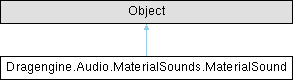
Material sound. More...
Public Member Functions | |
| void | addSound (Sound sound) |
| Add sounds. | |
| Speaker | createSpeaker (CollisionInfo collision) |
| Create speaker to play sound using collision as parameter source. | |
| Speaker | createSpeaker (DVector position, float power) |
| Create speaker. | |
| LayerMask | getLayerMask () |
| Layer mask used by createSpeaker() only. | |
| float | getMaxPower () |
| Maximum power. | |
| float | getMaxRange () |
| Maximum sound range in meters. | |
| float | getMaxVolume () |
| Maximum volume. | |
| float | getMinPower () |
| Minimum power. | |
| float | getMinRange () |
| Minimum sound range in meters. | |
| float | getMinVolume () |
| Minimum volume. | |
| Sound | getSoundAt (int index) |
| Sound at index. | |
| int | getSoundCount () |
| Number of sounds. | |
| Synthesizer | getSynthesizer () |
| Synthesizer or null to use sound files. | |
| MaterialSound | new () |
| Create material sound. | |
| MaterialSound | new (MaterialSound materialSound) |
| Create copy of material sound. | |
| void | playSound (GameWorld world, CollisionInfo collision) |
| Play sound using collision as parameter source. | |
| void | playSound (GameWorld world, DVector position, float power) |
| Play sound. | |
| Sound | randomSound () |
| Random sound or null if no sounds are present. | |
| void | removeAllSound () |
| Remove all sounds. | |
| void | setLayerMask (LayerMask layerMask) |
| Set layer mask used by createSpeaker() only. | |
| void | setMaxPower (float power) |
| Set maximum power. | |
| void | setMaxRange (float range) |
| Set maximum sound range in meters. | |
| void | setMaxVolume (float volume) |
| Set maximum volume. | |
| void | setMinPower (float power) |
| Set minimum power. | |
| void | setMinRange (float range) |
| Set minimum sound range in meters. | |
| void | setMinVolume (float volume) |
| Set minimum volume. | |
| void | setSynthesizer (Synthesizer synthesizer) |
| Set synthesizer or null to use sound files. | |
Detailed Description
Material sound.
Plays a random sound from a list of sounds or using a synthesizer. Volume and range is adjusted according to a power parameter. Usually power is calculated from impact force or similar physical parameters but can be also static for example depending on used weapon type.
If a synthesizer is used the following named controllers are set if present:
- "power": Constant curve with the power used to play the material sound.
- "random": Constant curve with random value between 0 and 1.
In both cases (either sound or synthesizer) the speaker volume and range is set to linear blend between minimum to maximum power and 0 to maximum volume/range. For synthesizer use this means that the synthesizer should in general not adjust the sound volume since this is done already by the speaker configuration.
Member Function Documentation
◆ addSound()
| void Dragengine.Audio.MaterialSounds.MaterialSound.addSound | ( | Sound | sound | ) |
◆ createSpeaker() [1/2]
| Speaker Dragengine.Audio.MaterialSounds.MaterialSound.createSpeaker | ( | CollisionInfo | collision | ) |
Create speaker to play sound using collision as parameter source.
Uses collision position using collision impulse as power. If no sound nor synthesizer is present or usable \en null is returned.
References getSoundAt(), and randomSound().
Referenced by createSpeaker().
◆ createSpeaker() [2/2]
| Speaker Dragengine.Audio.MaterialSounds.MaterialSound.createSpeaker | ( | DVector | position, |
| float | power ) |
Create speaker.
If no sound nor synthesizer is present or usable \en null is returned.
References addSound(), createSpeaker(), getSynthesizer(), playSound(), removeAllSound(), and setSynthesizer().
◆ getLayerMask()
| LayerMask Dragengine.Audio.MaterialSounds.MaterialSound.getLayerMask | ( | ) |
Layer mask used by createSpeaker() only.
Referenced by playSound().
◆ getMaxPower()
| float Dragengine.Audio.MaterialSounds.MaterialSound.getMaxPower | ( | ) |
Maximum power.
Referenced by setMinRange().
◆ getMaxRange()
| float Dragengine.Audio.MaterialSounds.MaterialSound.getMaxRange | ( | ) |
Maximum sound range in meters.
Referenced by setSynthesizer().
◆ getMaxVolume()
| float Dragengine.Audio.MaterialSounds.MaterialSound.getMaxVolume | ( | ) |
◆ getMinPower()
| float Dragengine.Audio.MaterialSounds.MaterialSound.getMinPower | ( | ) |
Minimum power.
Referenced by getMaxVolume().
◆ getMinRange()
| float Dragengine.Audio.MaterialSounds.MaterialSound.getMinRange | ( | ) |
◆ getMinVolume()
| float Dragengine.Audio.MaterialSounds.MaterialSound.getMinVolume | ( | ) |
Minimum volume.
Referenced by setLayerMask().
◆ getSoundAt()
| Sound Dragengine.Audio.MaterialSounds.MaterialSound.getSoundAt | ( | int | index | ) |
◆ getSoundCount()
| int Dragengine.Audio.MaterialSounds.MaterialSound.getSoundCount | ( | ) |
◆ getSynthesizer()
| Synthesizer Dragengine.Audio.MaterialSounds.MaterialSound.getSynthesizer | ( | ) |
Synthesizer or null to use sound files.
Referenced by createSpeaker().
◆ new() [1/2]
| MaterialSound Dragengine.Audio.MaterialSounds.MaterialSound.new | ( | ) |
◆ new() [2/2]
| MaterialSound Dragengine.Audio.MaterialSounds.MaterialSound.new | ( | MaterialSound | materialSound | ) |
Create copy of material sound.
◆ playSound() [1/2]
| void Dragengine.Audio.MaterialSounds.MaterialSound.playSound | ( | GameWorld | world, |
| CollisionInfo | collision ) |
Play sound using collision as parameter source.
Plays sound at collision position using collision impulse as power. Uses GWBehaviorOneShotSpeaker.playSoundOnce() or GWBehaviorOneShotSpeaker.playSynthesizerOnce().
To control the speaker used to play the sound use createSpeaker() instead.
References getLayerMask(), and setLayerMask().
Referenced by createSpeaker().
◆ playSound() [2/2]
| void Dragengine.Audio.MaterialSounds.MaterialSound.playSound | ( | GameWorld | world, |
| DVector | position, | ||
| float | power ) |
Play sound.
Plays sound at collision position using collision impulse as power. Uses GameWorld.playSoundOnce() or GameWorld.playSynthesizerOnce().
To control the speaker used to play the sound use createSpeaker() instead.
References getSoundCount().
◆ randomSound()
| Sound Dragengine.Audio.MaterialSounds.MaterialSound.randomSound | ( | ) |
Random sound or null if no sounds are present.
Referenced by createSpeaker().
◆ removeAllSound()
| void Dragengine.Audio.MaterialSounds.MaterialSound.removeAllSound | ( | ) |
◆ setLayerMask()
| void Dragengine.Audio.MaterialSounds.MaterialSound.setLayerMask | ( | LayerMask | layerMask | ) |
◆ setMaxPower()
| void Dragengine.Audio.MaterialSounds.MaterialSound.setMaxPower | ( | float | power | ) |
Set maximum power.
Referenced by setMaxRange().
◆ setMaxRange()
| void Dragengine.Audio.MaterialSounds.MaterialSound.setMaxRange | ( | float | range | ) |
◆ setMaxVolume()
| void Dragengine.Audio.MaterialSounds.MaterialSound.setMaxVolume | ( | float | volume | ) |
Set maximum volume.
Referenced by addSound().
◆ setMinPower()
| void Dragengine.Audio.MaterialSounds.MaterialSound.setMinPower | ( | float | power | ) |
Set minimum power.
Referenced by getMinRange().
◆ setMinRange()
| void Dragengine.Audio.MaterialSounds.MaterialSound.setMinRange | ( | float | range | ) |
◆ setMinVolume()
| void Dragengine.Audio.MaterialSounds.MaterialSound.setMinVolume | ( | float | volume | ) |
Set minimum volume.
Referenced by getSoundCount().
◆ setSynthesizer()
| void Dragengine.Audio.MaterialSounds.MaterialSound.setSynthesizer | ( | Synthesizer | synthesizer | ) |
Set synthesizer or null to use sound files.
References getMaxRange(), setMaxRange(), and setMinRange().
Referenced by createSpeaker().
The documentation for this class was generated from the following file: